
For iPhone · Family app for iPhone and Android
Take a second.
Keep control.
Stay in charge of your banking. Second Key is a small key and an iPhone app that keep your money apps locked until you tap, and pause everything when a phone call feels wrong.

$7.7 billion
lost to fraud by Americans 60 and older in 2025, up 59% in a year.1
$2,210
median loss for people 60+ when a scam starts with a phone call, more than three times a social media scam.2
One pause
is often all it takes. Scams work by keeping you on the line and in a hurry. Second Key gives you a moment to step back.
How it works
Calm on a normal day.
A firm pause when it counts.
-
1
Your money apps stay locked
Choose your bank, payment and investment apps once. They stay closed until you tap your key, so nobody can rush you into them.
-
2
Tap your key to bank
Hold the key to the top of your iPhone and you’re in. No call in progress means no questions asked: one tap, and they lock again on their own.
-
3
On a call? Let’s pause.
If you’re on the phone, Second Key reminds you that banks and police never ask you to move money, asks three quick questions, and waits a moment. Then your family gets a say.
What it looks like
Simple screens.
Big buttons. No surprises.
Second Key
On your iPhone.
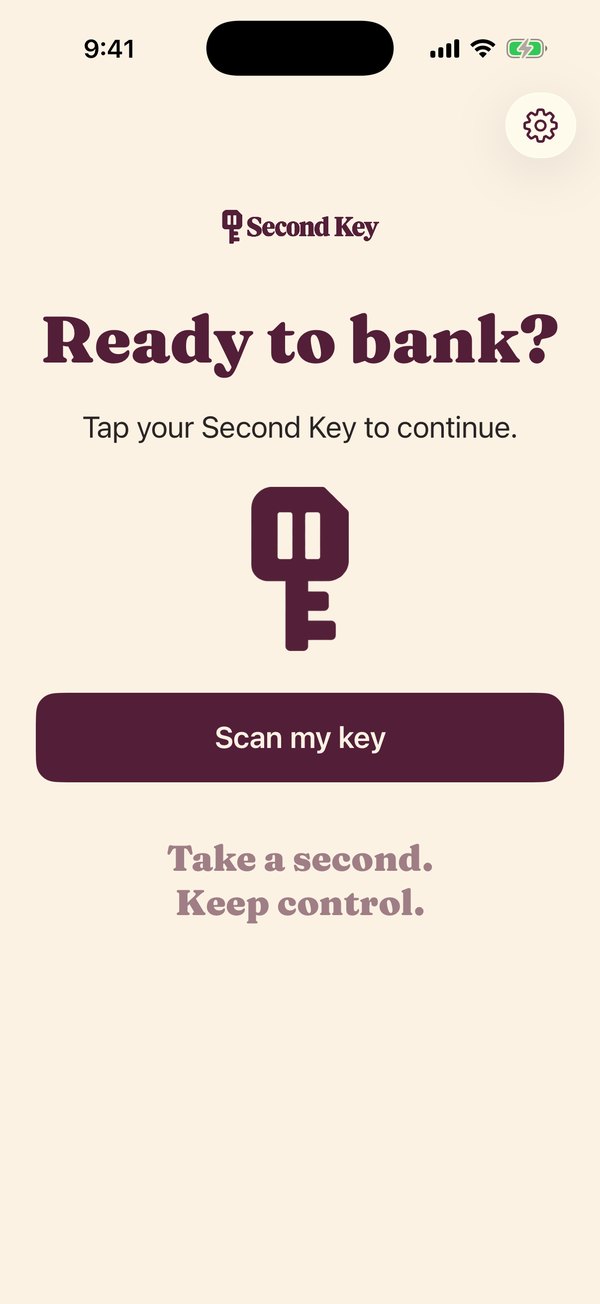
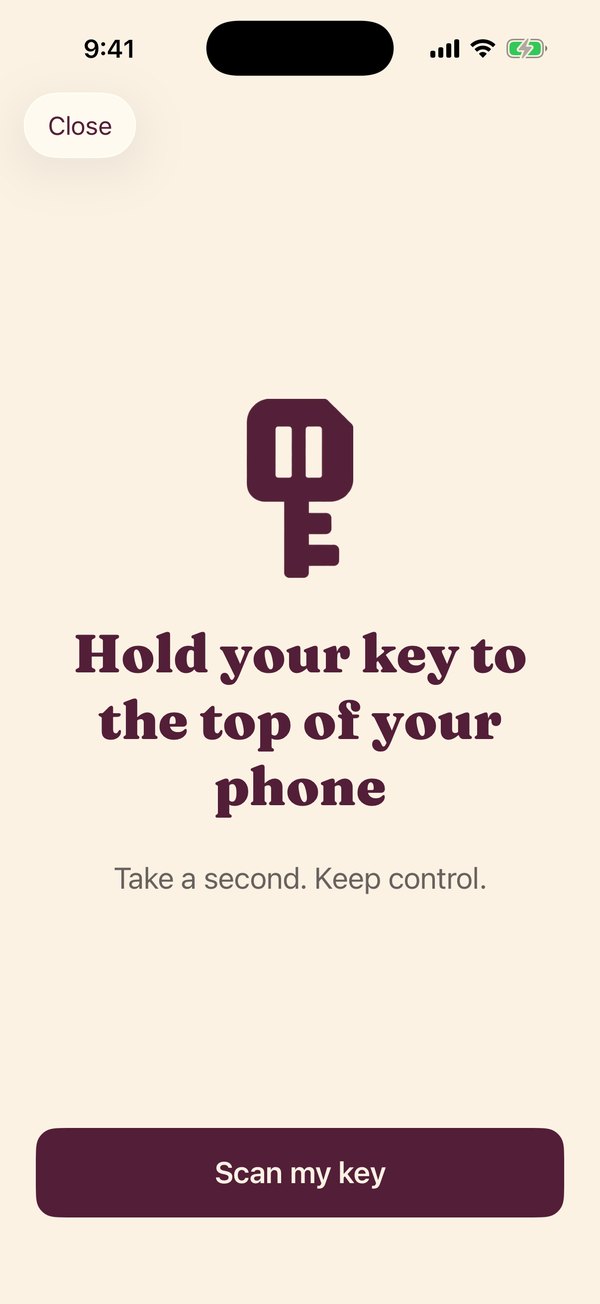
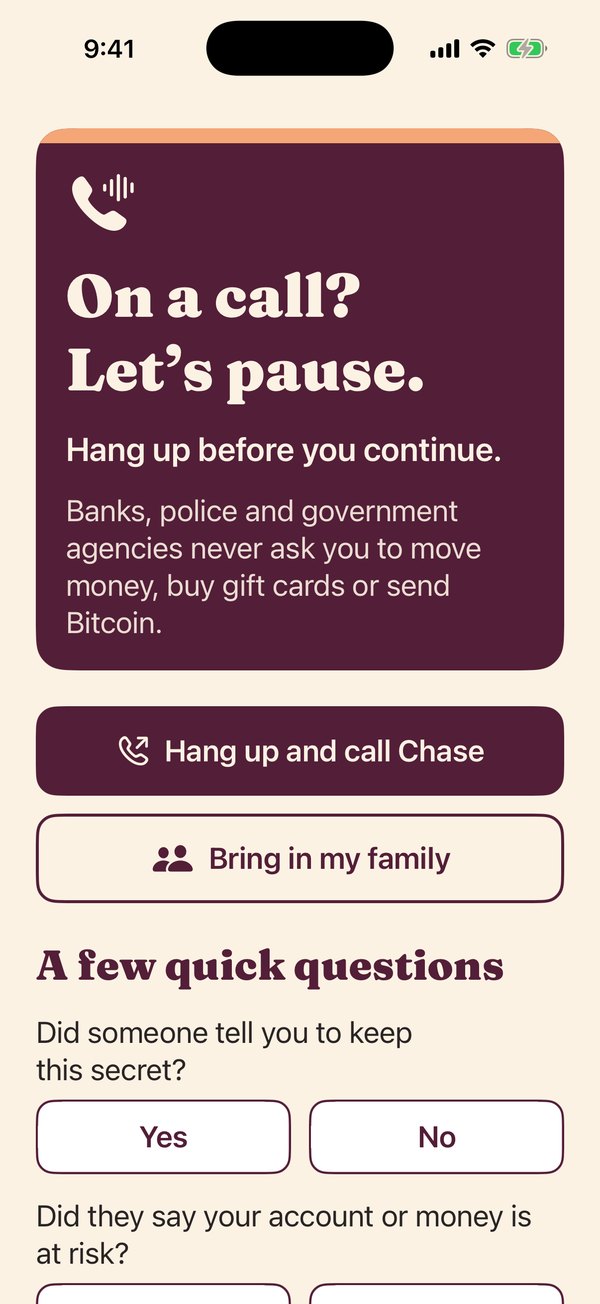
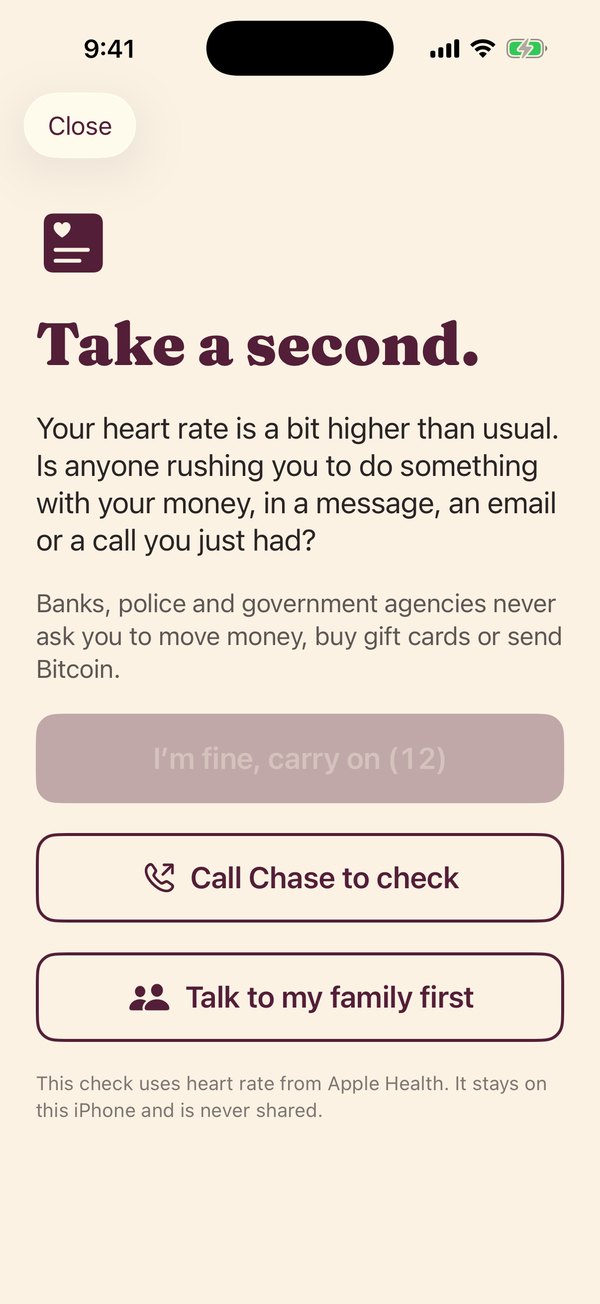
Second Key Family
On theirs. iPhone and Android.
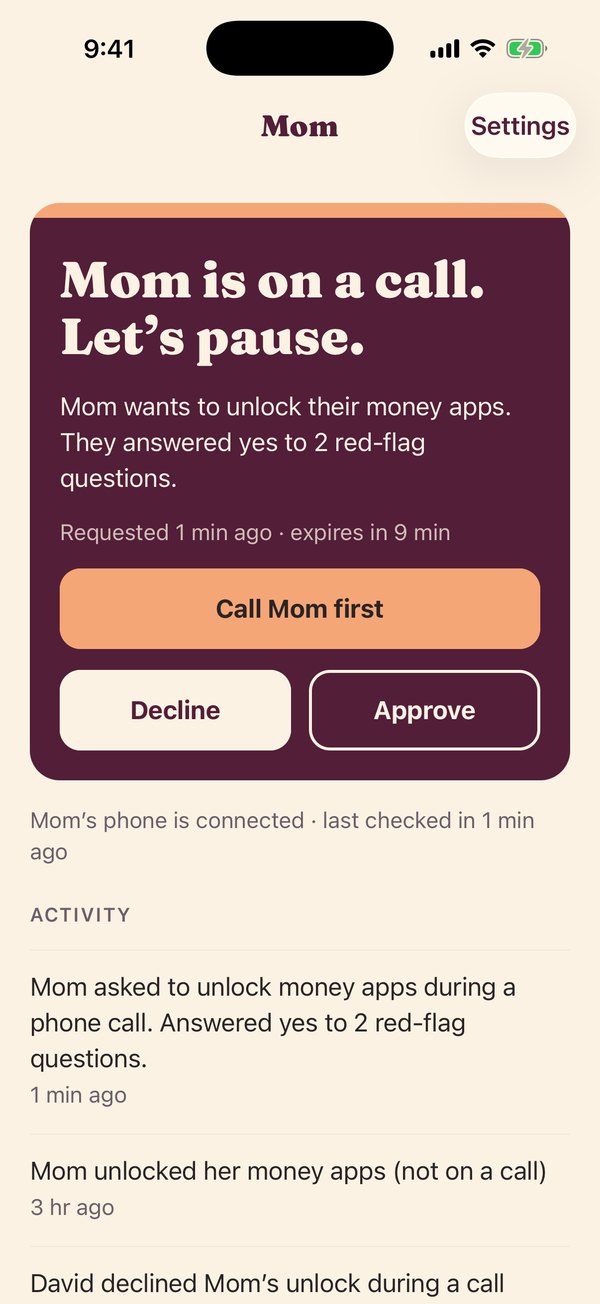
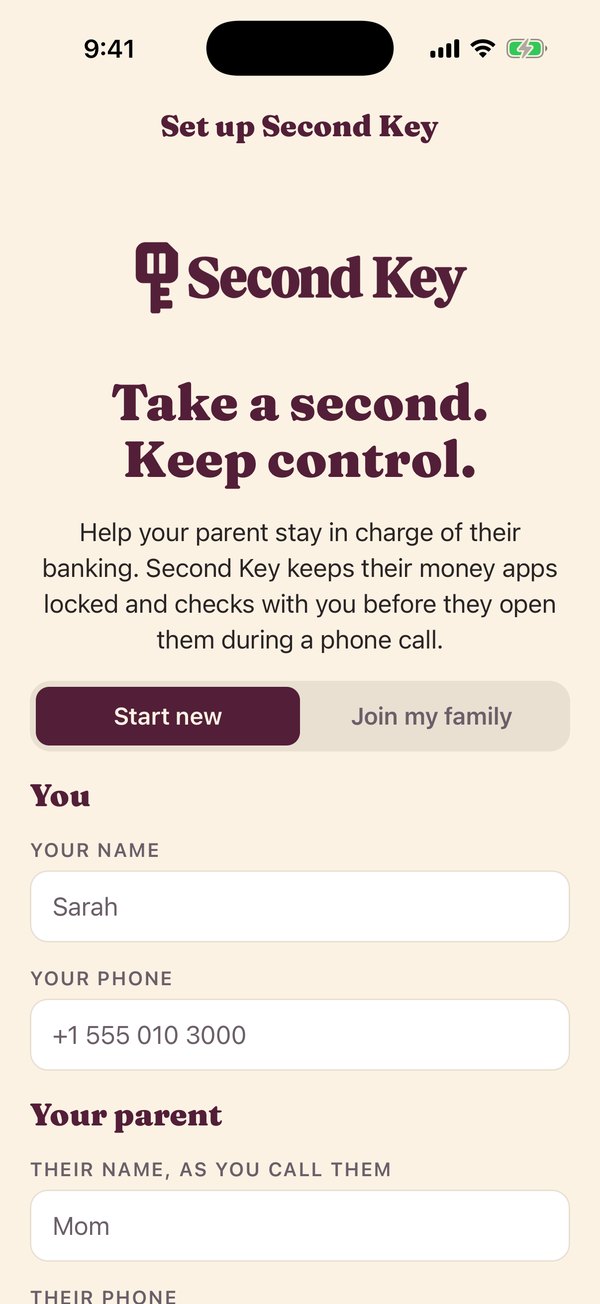
Screens from the current test version of the apps. Names and details are examples.
For families
Your family is one tap away.
Set Second Key up together. The Second Key Family app, for iPhone and Android, keeps the people you trust in the loop without watching over your shoulder.
- Approve or decline. If you try to open a money app during a call, your family gets an alert, and can call you first.
- Family Line. Two taps during a call bring your family onto it. If nobody picks up, you’ll hear a reminder not to send money.
- Quiet alerts. Family hears about unknown keys or changes to your setup, not your everyday banking.
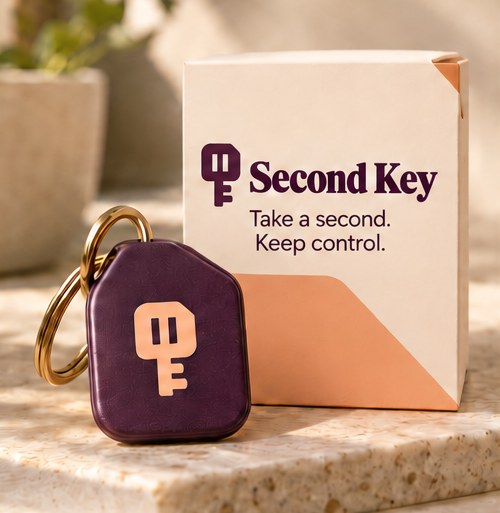
The key
Small enough for your keyring.
The Second Key fob works with a tap, like paying with your phone. It needs no batteries and no charging. Every household gets two: one for you, and a spare for someone you trust.
If a key is ever lost, the spare takes over.
What we never see
Your money stays your business.
- Your bank accounts, balances or passwords
- Your phone calls. Second Key notices that a call is happening, and never records or listens in
- Your texts or email
- Which apps you use. Even the apps you protect stay private to your iPhone
- Your health data. The optional stress check reads heart rate on your iPhone, and it never leaves it
Everyday confidence
Bank on your own terms.
Second Key isn’t about taking anything away. It’s a second set of eyes for the one moment scammers count on: when you’re on the phone, in a hurry, and alone.
Calm. Clear. In control.

Questions
Good to know
Does it work with my bank?
Yes. Second Key works with any app on your iPhone: banks, credit unions, Venmo, PayPal, Zelle, brokerages and crypto apps. It can also lock your bank’s website in Safari.
Will it get in the way?
Not on a normal day. When you’re not on a call, it’s one tap and you’re in. The extra steps only appear when you open a money app during a phone call. Installing or deleting apps also takes a tap of your key, so nobody can talk you into it.
What if a scammer tells me to delete it or turn it off?
Second Key can’t be deleted without your key, and not at all during a phone call. If its Screen Time access is turned off, your family is told right away. If your phone stops checking in for a day, they’re told that too, so they can call and check on you.
What if my family doesn’t answer?
Your apps stay locked and you can ask again. Many scams fall apart after a short wait, and you can always hang up and call your bank at the number on your card.
Which iPhones does it work with?
Your parent needs an iPhone XS, XR or newer (2018 or later), including every iPhone SE from 2020 on, running iOS 17 or later. To check, open Settings, then General, then About. Family members can use any iPhone or Android phone.
What is the stress check?
An optional extra for people who wear an Apple Watch. When you tap your key, Second Key can look at your recent heart rate in Apple Health. If it’s higher than usual and you haven’t just been walking or exercising, you get a short pause to check nobody is rushing you. It never stops you, and your heart rate stays on your iPhone. It’s off unless you turn it on.
Does it work on Android?
The Second Key Family app works on iPhone and Android today. Protection for Android phones is on the way.
Is Second Key a bank, or does it repay losses?
No. Second Key isn’t a bank and doesn’t hold or move money. It adds a pause and a second opinion before money moves. It can’t stop cash withdrawals, gift card purchases or Bitcoin ATMs, so your family is alerted when something looks wrong.
Something else? Email us at hello@mysecondkey.com.
Be first to try Second Key.
We’re starting with a small group of families. Leave your email and we’ll be in touch.
Questions? Email hello@mysecondkey.com.